Back • 03/09/2024
How I organize my files in NextJS?
Written by Melvyn Malherbe on 03/09/2024
Loading...
Back • 03/09/2024
Written by Melvyn Malherbe on 03/09/2024
How to organize files in a NextJS application with the app directory to have clean and maintainable code for medium and large applications?
After creating 6 SaaS and a training platform over 2 years... I found the best way to organize my files.
For this, we will have 3 parts:
app foldersrc folderapp folderThe app folder with NextJS app directory allows managing routing, but unlike pages, only certain files will be used by NextJS:
page.tsxlayout.tsxroute.tserror.tsxIt is now possible to put other files like user-form.tsx in the app folder without it affecting the routes.
That's why the first rule is:
Everything related to only one page or layout, I put it in
app
Let's take a concrete example:
We have a folder app/users/new that contains page.tsx and will contain a form in new-user-form.tsx and an action in new-user.action.ts!
I will organize my folders like this:
You see here, I put my React component and my server action in the same place.
I use the suffix .action.ts for all server actions. Similarly, I use .schema.ts when defining Zod schemas.
You should know that in NextJS folders that start with _ (underscore) are ignored by NextJS routing.
In the case where we have a dashboard, with many components and many server actions, I create a _component and _action folder for the different components.
Specifically, if I have user-stats.tsx, user-invoices.tsx, user-product.tsx, and user-informations.tsx with actions user-stats.action.ts, user-invoices.action.ts, user-product.action.ts, and user-informations.action.ts, I will put these files in the _component and _action folder:
This way, you can easily find your page.tsx or layout.tsx without moving your files to a folder too far from the page.
src folder?The src folder will allow me to put all the files that will be "reused" in several places. Here are the main folders I have in my folder and together we will see how I organize them:
lib FolderThis will contain all the files related to the libraries I use.
The first if you use Shadcn is util.ts which will contain the cn utility.
But there are quite a few files that I put in it:
prisma.ts with Prismainngest.ts with Inngestsafe-actions.ts when I use Next Safe Actionsafe-route.ts with Next Zod Routeenv.ts with T3 EnvWe will end up with a lib folder like this:
components FolderI will put all my Shadcn components in the components/ui subfolder.
I will also have a components/utils that will contain components like the ErrorBoundary.
Finally, I will add to this folder all the components that are not directly related to a feature.
For example, in my application, I have a layout.tsx component to manage the layout of each page that I will put here.
If you have svg I will also create components/svg to put all the SVG!
Which gives:
features FolderThe features folder is now the best way to organize files that you reuse quite often.
But what is a feature?
A feature is a group of components, hooks, and server-actions that together create a reusable functionality of your application.
Let's take an example:
In your application, you have a button that allows you to save text with the user's voice.
We use open-ai to get the user's transcript.
We could have the following files:
voice-recorder-button.tsxvoice-recorder-card.tsxvoice-recorder.action.tsAll of this can go into the features folder imagining that this voice-recorder can be used in several places in our application.
Another example?
Imagine that like Vercel you have a kind of feedback form at the top of your page:
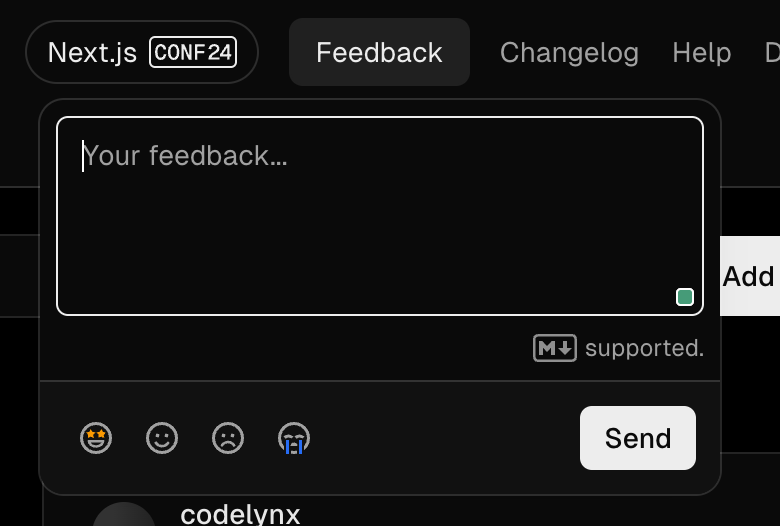
You will be able to reuse this feedback form in your application.
In this case, you will have the files:
feedback-form.tsxfeedback-form.action.tsThat we will put in the features/feedback-form folder!
Which gives for our two examples:
hooks FolderWell here it's simple, all reusable hooks you put them in this hooks folder example:
In summary, the decision tree to organize my files is as follows:
I invite you to modify it according to your needs.
If we mix all the rules together, here is what a project might look like: